A landing page is a one-page website that leads a visitor to a single action: submit a request, book, call or buy. Put simply, it’s one offer expanded into a page: what you sell, why you can be trusted, what it costs and how to order. There’s no menu, no news and no company history, so the person doesn’t get distracted and makes it to the button.
The name comes from where it sits in the journey: it’s the page a person lands on after clicking an ad, a link in an email or a social media post. Landing page or lander, it’s the same thing.
What a landing page is, in plain English
Picture a salesperson who has five minutes with a customer. They don’t recount the company’s history or walk the customer through the whole warehouse. They say what they’re offering and why it’s useful, show proof, name the price and ask: “Shall we go ahead?” A landing page is the same conversation, written down as a page.
That’s why people read it from top to bottom, like a story. Each section answers the question the visitor has just started asking: what is this, is it right for me, why should I trust you, how much does it cost, how do I order. If a question goes unanswered, the person leaves to find the answer on another site.
At the same time, a landing page is a full-fledged website: it has an address, it opens in a browser, and people find it through a link. It’s just a website with one page. The term is also used for a single page inside a bigger site when it was built for one ad campaign. And it can be very short: three or four sections for a promotion or a consultation booking.
Landing page vs. multi-page website
The main difference is the job. A landing page sells one service or one product, or signs people up for one event. A multi-page website does many jobs at once: it covers all your services, shows a catalog, answers questions from search and builds trust in the company.
| What we’re comparing | Landing page | Multi-page website |
|---|---|---|
| Job | One action: a lead, a booking, a purchase | Several services, a catalog, trust in the company |
| Structure | One page, sections follow a script | Sections, service pages, contacts, articles |
| Where visitors come from | Ads, email, social media | Search and ads |
| Google search | One narrow group of searches | Each page has its own searches |
| Launch | Faster and simpler | Longer: more pages and more copy |
When a landing page pays off: examples
A landing page doesn’t bring in visitors on its own. It pays off when you have a way to send people to it, and your offer can be explained on one page. These are the landing pages that most often justify themselves:
- One service with clear demand. Gutter installation, upholstery cleaning, washing machine repair. The person is looking for something specific and wants to understand the price and terms quickly.
- Google Ads. The visitor clicked an ad with a specific promise and expects to see exactly that, not a homepage with ten sections.
- Testing a new idea. Before building a big site for a new line of business, you can check on one page whether anyone will submit a request at all.
- An event or a launch. A conference, enrollment in a course, a new location opening. The offer has a date, and after it the page is no longer needed.
- A seasonal offer. Booking a tire change before the season turns, air conditioner installation ahead of summer.
When you need a full website
A landing page is a poor fit if you want customers from Google search. Search engines show a specific page for a specific search. One page can answer one group of related searches well, but not all of them at once. “Flat roof repair”, “metal roofing” and “attic insulation” are three different topics, and each needs its own page.
A real example is the keyword map behind this site, meaning the list of searches it’s built around (we built it on Russian-language search data). Landing page design alone produced 511 searches. Corporate websites, online stores, SEO, search ads and maps listings each got their own groups too. If all of that lived on one page, it would lose on every topic to pages fully dedicated to it. That’s why every service here has its own page.
You need a full website if:
- you have several services or a product catalog, and people search for each one in their own words;
- you’re betting on search traffic and are prepared to wait months for results;
- the product is complex or expensive, and people research it for a long time before buying: case studies, documents, terms;
- you sell on commercial searches where people compare the whole offer: range, prices, delivery, payment, contacts. A one-pager has little to show here.
A common working option is a multi-page website where each service page is built on landing page logic. That page sells to ad traffic and pulls in its own group of searches. If you’re choosing between ads and search, see PPC or SEO.
Which sections a good landing page needs
The order of the sections follows the visitor’s questions. The exact set varies by industry, but the foundation is the same.
The first screen
The first screen decides whether people keep reading. It should make clear what you offer, who it’s for, where you work and what to do next. A headline like “Cleaning for every need” says nothing. “Post-renovation apartment cleaning in Denver” filters out the wrong people right away and hooks the right ones.
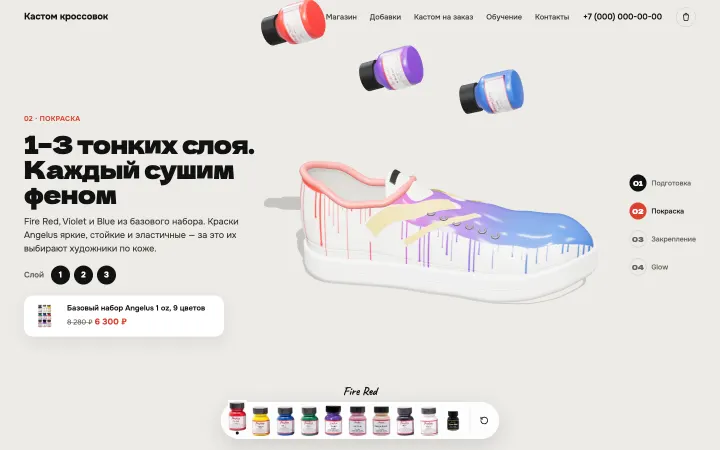
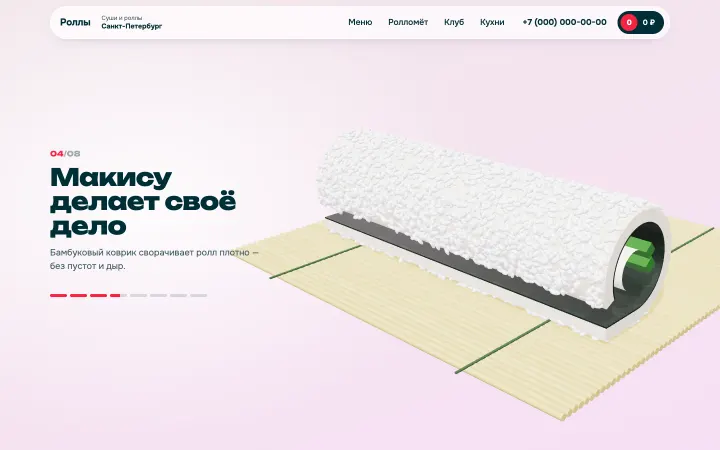
The image should show the actual work, not an abstraction. In our project for a motor oil store, a 3D tachometer revs up as you scroll, and in the one for a forging company, an ingot turns into a wheel. You can see these scenes in our Work section.
The offer
The offer is your specific proposition: what the person gets, on what terms and why they should reach out now. It often sits right on the first screen, but it needs to be thought through on its own: the whole page rests on it.
Compare “Apartment cleaning” with “Post-renovation cleaning: we bring our own equipment and supplies, and you pay after you’ve checked the work.” The second one can be checked and compared with other offers; the first can’t.
Proof
Photos of your work, real reviews, certifications, a guarantee written into the contract, video from your shop floor, numbers from your business. All of this answers the question “why should I trust you?” There’s one rule: only the truth. Made-up reviews and stock photos of a “team” are spotted instantly and damage trust in the whole page.
Price
If there’s no price, the person has to call and ask, and many would rather just close the tab. Show an exact price, a range or a starting price, and explain what it depends on. A calculator or a quiz works well: the visitor answers a few questions and gets an estimate. A page built around those questions is often called a quiz funnel.
The request form
A form with two fields, name and phone number, plus buttons for messaging apps. Say what happens after someone submits it: who will get in touch and when. Repeat the button several times down the page so nobody has to scroll back up. Before the form, a section that answers common doubts helps: timing, guarantee, payment.
Every lead should be counted as a conversion in GA4. Otherwise you won’t know which ads bring in customers and which just spend money.
Landing pages for Google Ads
In Google Ads, the landing page is the page your ad leads to. It can be a standalone one-pager or a service page on a bigger site. For ads, the label doesn’t matter; three things do.
- The page delivers on the ad’s promise. If the ad says “in-home upholstery cleaning”, the person should immediately see upholstery cleaning, not a homepage with a list of twenty services.
- The page loads fast on a phone. You pay for the click the moment it happens. If the page loads slowly and the person closes it, the money is already gone.
- The page has conversion tracking: form submissions, phone clicks, taps to message you. Without it, Google Ads can’t tell a click that brought a lead from an empty one, and it can’t learn from your leads.
Google Ads also rates landing page experience as part of your ad quality, so a relevant, fast page helps you in the auction as well. How to build a campaign around a page like this, we covered in detail in How to set up Google Ads.
How to make a landing page: the process
You can build a one-page site yourself on a website builder like Wix or Squarespace, or hire a designer and a developer. The order is the same either way.
- Decide on the one action the visitor should take, and describe who they are: what they’re looking for and what they’re unsure about.
- Gather your materials: the offer, prices, photos of your work, reviews, answers to common questions. Write the copy before the design: design shapes the message, not the other way around.
- Lay out the sections in order on paper or in a simple wireframe.
- Design for phones first, then for desktop.
- Set up GA4 and conversion tracking, send a test lead and make sure it arrived and the conversion registered.
- Launch your ads and watch where people leave the page. Session recordings and scroll maps in tools like Microsoft Clarity or Hotjar show exactly that.
A website builder is great for testing an idea quickly. Once the page starts making money, people usually run into the template look, speed issues and limits on customization. That’s when the site moves to custom code.
How much a landing page costs
The price depends on the scope: how many sections, who writes the copy, and whether you need a photo shoot, a calculator or a quiz, a 3D scene or a CRM integration. Our current prices for landing pages and multi-page websites are on the pricing page. Set up GA4 with conversions on launch day: without it, you can’t tell whether the page is paying off.
We show you a homepage concept before you sign a contract, free of charge. On a landing page, that’s the only page, so you see what it will look like in advance. More about the service on our landing page design page.
If you’re not sure one page is enough, start with where your visitors will come from. From ads, for one service? A landing page will do. From search, across several lines of business? Plan a site where every service has its own selling page from the start.
Let’s talk about your website
We’ll show you your new homepage before you sign anything — free
Discuss a project